Weeping Willow — Landscapes & Snow
One business. One connected application.
Custom application · Operations platform · Website
For a landscaping and snow-removal company: one application that connects the owner's workspace, the crew's tools, the customers' space and the seasonal operations behind them.
Real app screens with sample data. Not a live storm.

- Client
- Weeping Willow
- Industry
- Landscaping and snow removal
- Services
- Custom application, operations platform and website
- Status
- Built and tested with sample data. Not yet in daily use.
The business
Weeping Willow is a landscaping and snow-removal company. In summer the work is landscaping. In winter, every snowfall means routes to plan, crews to send out and clients waiting for their driveway to be cleared.
What the operation needed
- One view of each storm
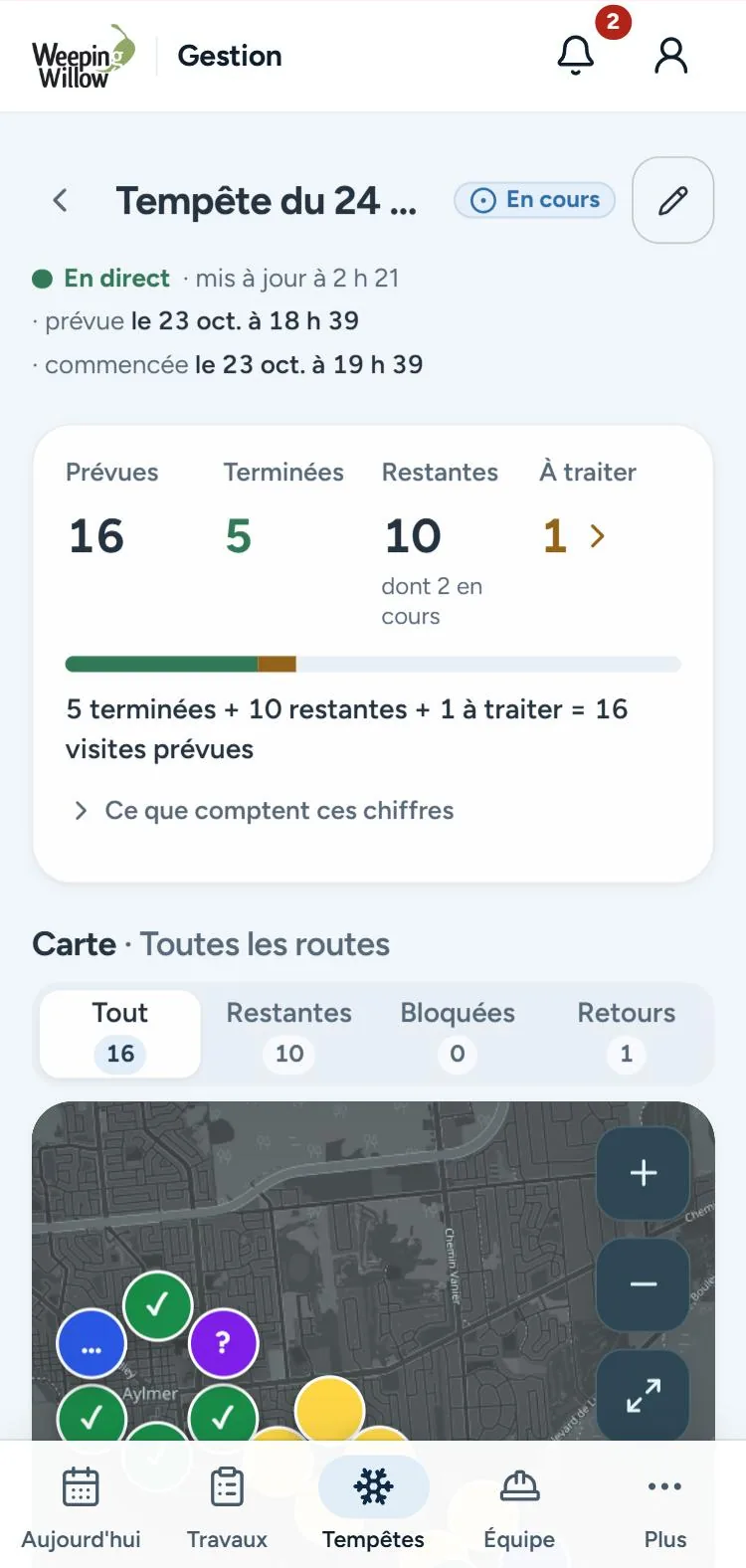
- See at a glance what's done, what's left and what went wrong, without calling the crews.
- Simple tools in the field
- Know where to go next and what to do there, on a phone, in the cold and with little time.
- Requests in one place
- New sign-ups, client requests and seasonal work in the same system, instead of inboxes and notebooks.
What NorthPeak built
NorthPeak built one application on one database: an owner workspace, a crew app for phones and tablets, a customer space for sign-ups and requests, and a bilingual website that switches between summer and winter.
- Owner
Owner workspace
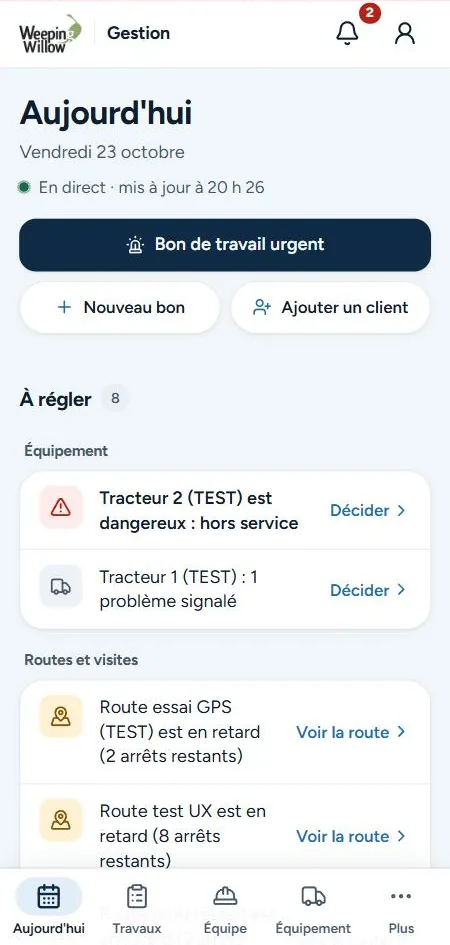
A Today screen with what needs a decision, storms prepared from Environment Canada's forecast, routes and crews assigned, work orders, equipment and team hours.
- Crew
Crew app
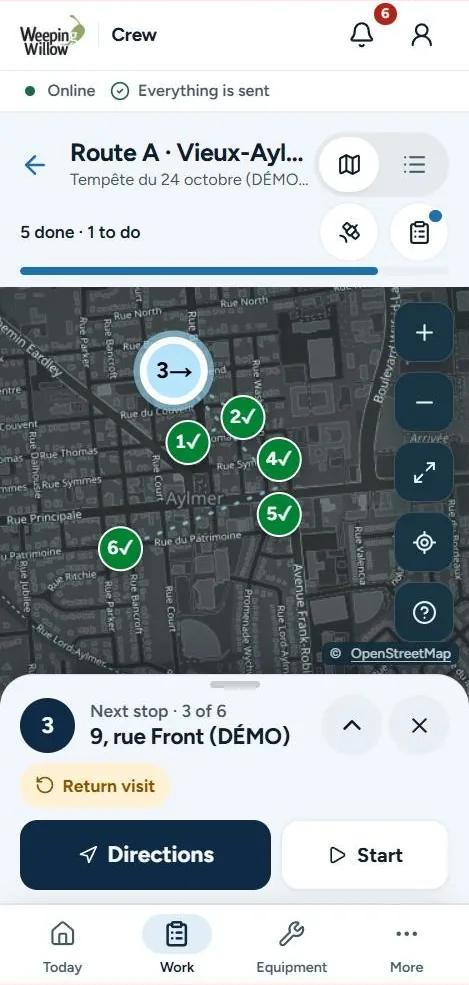
Shifts and breaks, assigned routes on a map, the next stop with directions, Start and Done, problem reports, checklists and photos.
- Clients
Customer space
An online sign-up the owner reviews before anything is scheduled, and a private portal where clients see their requests.
- Seasons
Seasonal operations
A bilingual website and app that switch between summer landscaping and winter snow removal.
The owner and the crew, in the same app
Both work in one application. Each sees only what their role needs.
Understand the operation. Manage the work.
The owner's Today screen lists what needs a decision, such as a vehicle out of service or a route running late, with urgent work orders one tap away.
What the app does
- 01Storm trackerEvery route, stop and problem for a storm on one map, with totals that add up.
- 02Routes for the crewThe next stop, directions, Start and Done, and problems reported in a tap.
- 03Shifts and work ordersClock-in, breaks, checklists and photos, sent to the owner for review.
- 04Customer spaceOnline sign-ups reviewed by the owner, and a portal where clients follow their requests.
Real screens
Captured in the app's test environment with sample data marked (DÉMO) or (TEST). Private areas stay behind sign-in.
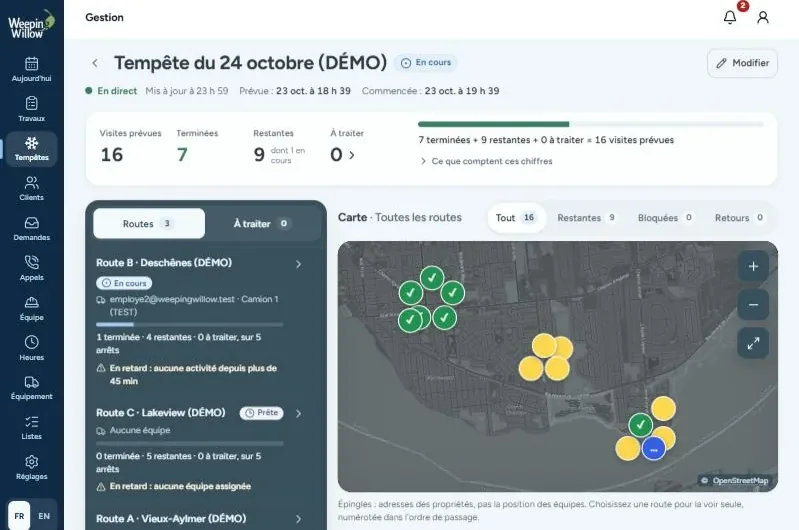
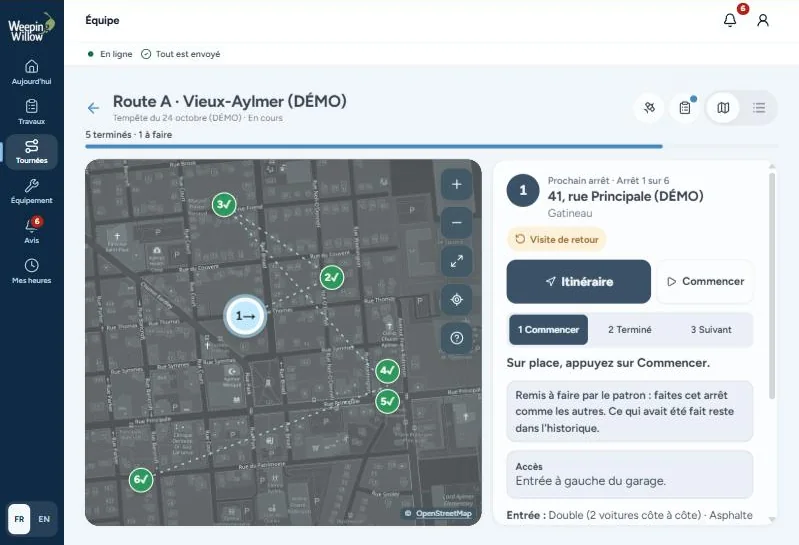
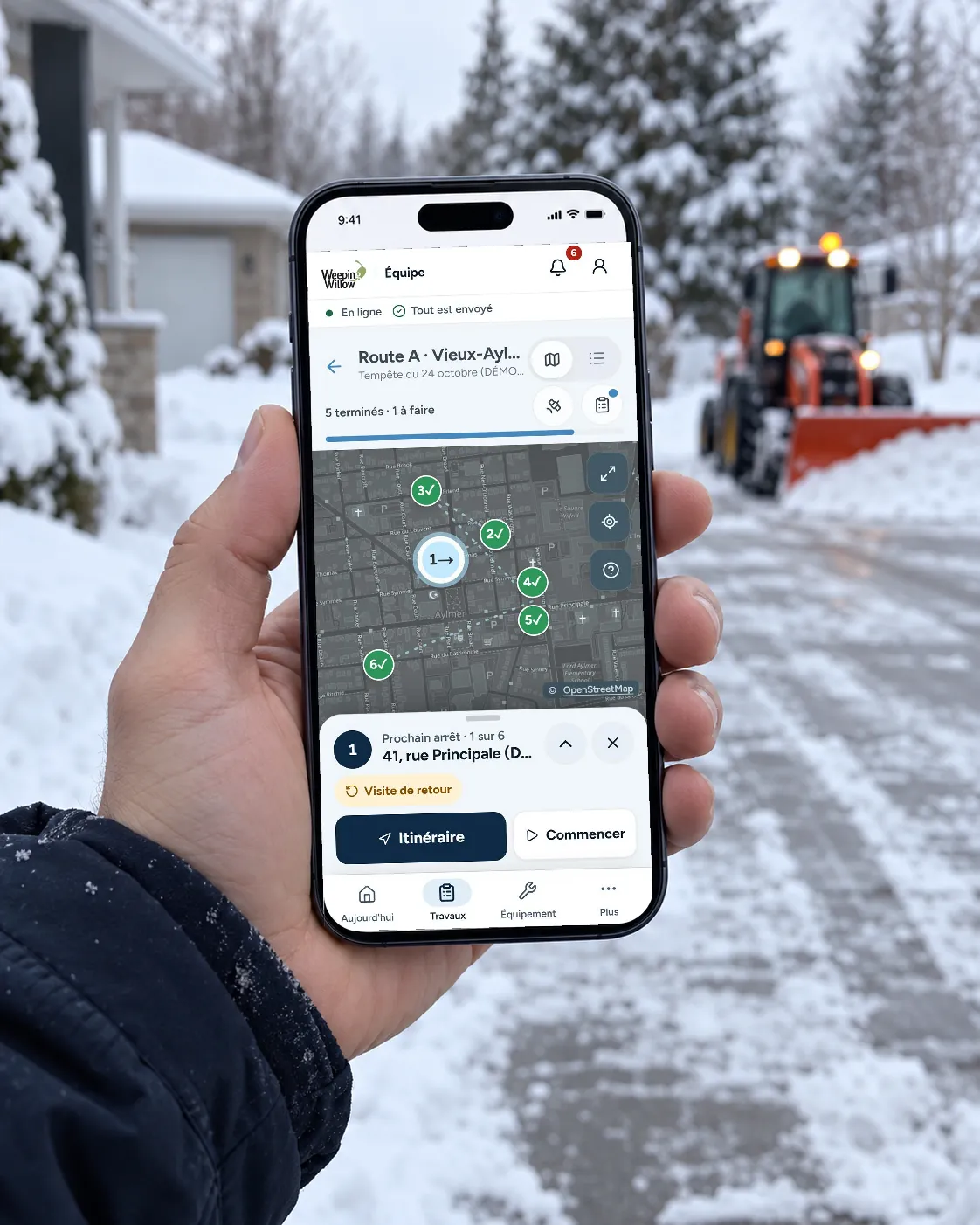
Built for the field
The crew screens are built around one next action, with large buttons. If the connection drops, taps are kept on the phone and sent when it returns, each with the time it was tapped.
Private by design
- The map shows property addresses, never live crew positions.
- Crew members see only their own routes and the properties on them.
- Every screen on this page uses sample data.
How it works, start to finish
- A client signs up online
- The owner reviews the sign-up
- Snow is forecast
- The owner prepares the storm and its routes
- Crews open their route
- Each stop is started and finished
- Problems reach the owner
- The storm closes with every visit accounted for
What the application does
What each part of the application does, as built.
- Owner, crew and clients work in the same application
- Each storm has one screen with routes, stops and problems
- Crews see only their own routes and the properties on them
- Shifts, work orders and photos are recorded from the phone
Services used in this project
From the blog
Thinking about something similar?
Tell us about your business and what you'd like to build.