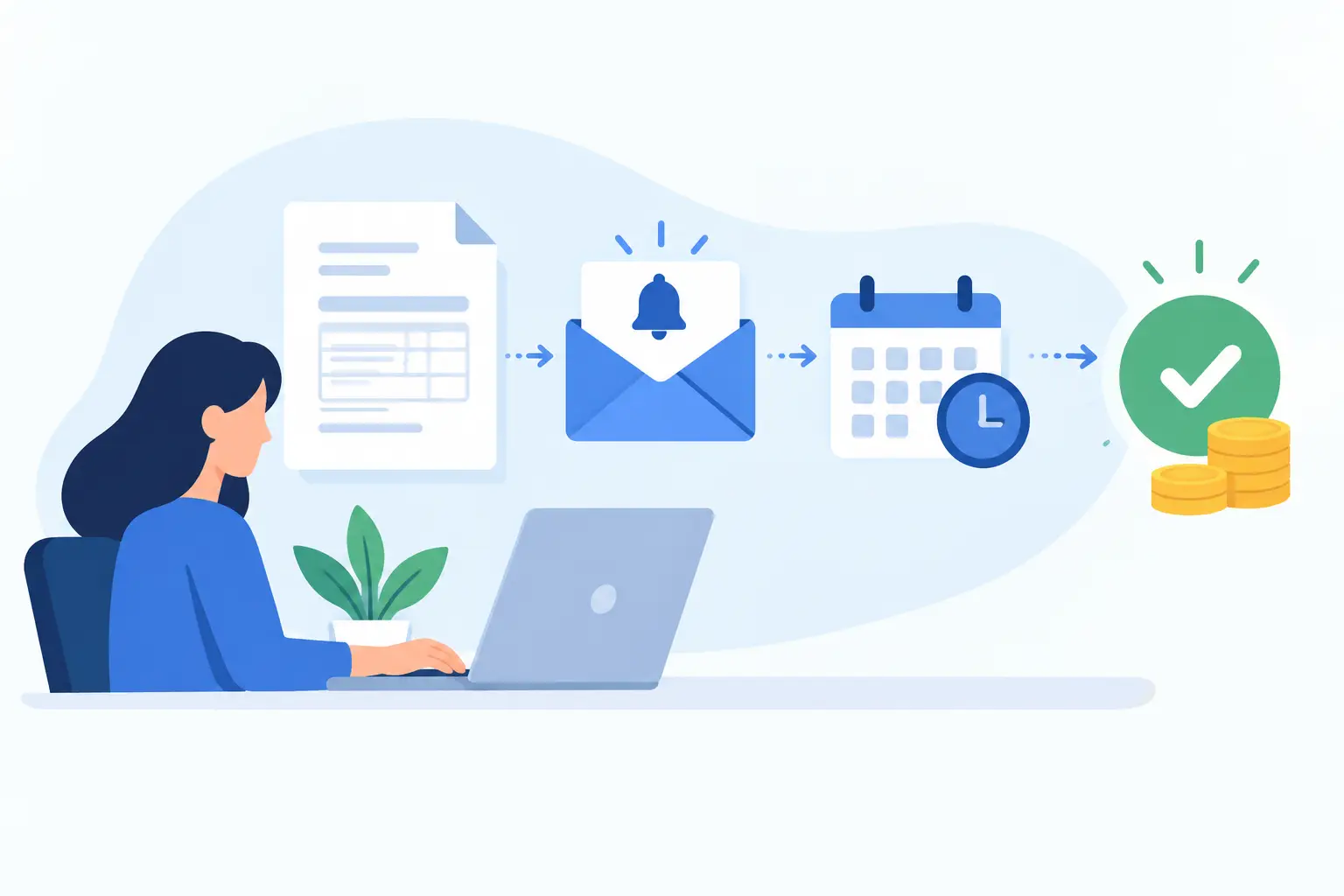
A completed job should not turn into a string of awkward calls, copied email messages, and uncertainty about when money will arrive. For a busy contractor, venue, clinic, or home-service team, invoice payment reminder automation gives every invoice a consistent follow-up process without asking someone in the office to chase payments all day.
The goal is not to pressure good customers. It is to make paying easy, timely, and expected. When reminders are connected to your estimates, job records, invoices, and customer details, your team spends less time checking who has paid and more time serving the next customer.
Why late invoices create bigger operational problems
An overdue invoice is rarely just an accounting issue. It can affect payroll planning, material purchases, subcontractor payments, scheduling decisions, and the confidence to take on the next job. For smaller service businesses, a handful of late payments can put real pressure on cash flow.
Manual follow-up also creates inconsistency. One customer receives a polite note before the due date. Another gets a call two weeks later because the invoice was buried in an inbox. A third may receive a reminder from someone who does not know the job context or the payment arrangement already discussed.
That inconsistency costs time and can make an otherwise professional business feel disorganized. A clear reminder process protects the customer experience as much as it protects revenue.
What invoice payment reminder automation should do
A useful system does more than send the same email every seven days. It uses the invoice status, due date, payment method, customer record, and job details to decide what should happen next.
For many local businesses, the right sequence starts before the invoice is due. A short, friendly note can confirm the amount, due date, and payment options. If the customer has already paid, the system should recognize that and stop future messages. If payment is still outstanding after the due date, the wording can become more direct while remaining professional.
A well-planned process often includes four distinct moments:
- A confirmation when the invoice is issued, with a clear payment link or instructions.
- A courteous reminder shortly before the due date.
- A due-date notice for invoices that remain unpaid.
- Escalating follow-ups after the due date, with staff alerts when a personal call is appropriate.
The exact timing depends on your business. A restaurant planning a private event may need deposits confirmed quickly. A contractor billing for a completed project may use longer payment terms. The automation should follow the commercial reality of the work, not a generic template.
Build the workflow around the customer journey
Payment reminders work best when they are part of one connected workflow. The customer requests a quote, approves an estimate, books the work, receives updates, gets an invoice, and has a simple way to pay. Each stage should carry the right information forward so staff are not re-entering names, job details, amounts, or due dates.
Consider a home-service business that completes several jobs each day. Once a technician marks a job complete, the office can review the record and issue the invoice from the same system. The customer receives the invoice by email or text, depending on the communication preference captured earlier. If there is no payment by the due date, the reminder sequence begins automatically.
The office team can see the invoice status beside the customer and job history. There is no need to search separate spreadsheets, email threads, payment portals, and calendars to understand what happened. If the customer calls with a question, the person answering can see whether the invoice was delivered, opened, paid, or awaiting follow-up.
That visibility matters. Automation should remove repetitive work, not hide important conversations.
Keep the message useful, not impersonal
A reminder should answer the questions a customer has at a glance: what is this for, how much is due, when is it due, and how can I pay? Include the invoice number and a recognizable job or service description. A customer is more likely to pay promptly when they do not have to hunt for context.
Tone changes as the invoice ages. Before the due date, a message can simply say that payment is coming due and provide the payment option. After the due date, it should politely state that the account remains outstanding and request payment by a specific date. For a final notice, it may be appropriate to explain who to contact if there is a question or a payment issue.
Avoid language that sounds automated in the worst way: vague, cold, or accusatory. A good system can still sound like your business. It can use your normal greeting, identify the right contact person, and offer a direct route to resolve a problem.
Decide when automation should hand off to a person
Not every unpaid invoice needs the same treatment. A long-standing customer with a history of timely payment may need a quick personal check-in, especially if the invoice is large or tied to a change in scope. A new customer who has ignored several reminders may need a firmer process.
This is where internal alerts are as valuable as customer messages. Set rules that notify the right team member when an invoice reaches a certain age, amount, or status. For example, invoices over a threshold may prompt an owner or account manager to review them after the first overdue reminder. Smaller invoices may continue through the standard sequence before anyone intervenes.
You can also exclude invoices that are legitimately waiting on something: insurance documentation, a disputed line item, a revised invoice, or an agreed payment plan. These exceptions should be visible and easy for staff to manage. Automation is strongest when it follows clear decisions, not when it sends messages blindly.
Choose channels based on how customers actually respond
Email remains useful because it provides a written record and can carry detailed invoice information. But email alone may not be enough for every business. Text messages can work well for short reminders, appointment-linked deposits, and invoices customers are likely to pay from a phone.
The trade-off is consent and message frequency. Customers should know how you will contact them, and texts should be limited to clear, relevant notices. Sending too many reminders through too many channels can feel intrusive. One thoughtfully timed email followed by a concise text may be more effective than repeated messages everywhere.
For businesses serving customers in more than one language, the system should also account for communication preferences. A bilingual reminder process can reduce confusion and reinforce the quality of service customers expect in the Ottawa-Gatineau region.
Measure more than the number of reminders sent
The useful question is not whether the automation ran. It is whether invoices are being paid sooner with less staff effort.
Track the average number of days it takes to receive payment, the share of invoices paid before the due date, the number that require personal follow-up, and the value sitting overdue at any given time. Review where delays occur. If customers regularly ask for the payment link again, the original invoice may be hard to use. If a particular service type generates disputes, the estimate or job approval process may need more clarity.
This is why payment reminders belong in the broader operating system, not as a stand-alone feature. The data can reveal problems upstream, from unclear quotes to missing approvals or incomplete customer records.
Start with a process your team can trust
Before selecting tools or building workflows, write down what happens now. Who sends invoices? When are payment terms explained? Where do staff see unpaid balances? What should happen when a customer replies, disputes an amount, or asks for more time?
Then define the few rules that matter most: when the first reminder is sent, how many follow-ups are appropriate, which invoices require a staff alert, and who owns exceptions. Keep the first version straightforward. You can refine timing and language after you see how customers respond.
NorthPeak helps local businesses connect invoice follow-up with the systems that come before it: inquiry forms, estimates, booking, job management, and customer records. The result is not just fewer overdue invoices. It is a clearer process your staff can rely on when the workday gets busy.
A customer should never have to wonder how to pay, and your team should not have to remember every invoice that needs attention. Put the right reminder in the right moment, then let your people focus on the conversations only people can handle.